Akai Force
Download Force update ↓See release for size · Force-3.10.0-openplugin-v0.8.2-update.img
INDEPENDENT · NON-COMMERCIAL · AI-ASSISTED
Browse, install and update community VST plugins on Akai Force 3.10.0 and MPC Gen1, directly from the touchscreen. Combined JV-880 setup, community USB mouse support and SSH/SFTP transfers are included.
Built on poloq’s Plugin Manager and sd88me’s MPC VST Plugins. Original authors retain their credits and licenses.
SSH & SFTP included: transfer samples from your computer to device storage. Verified on the owner’s Force →
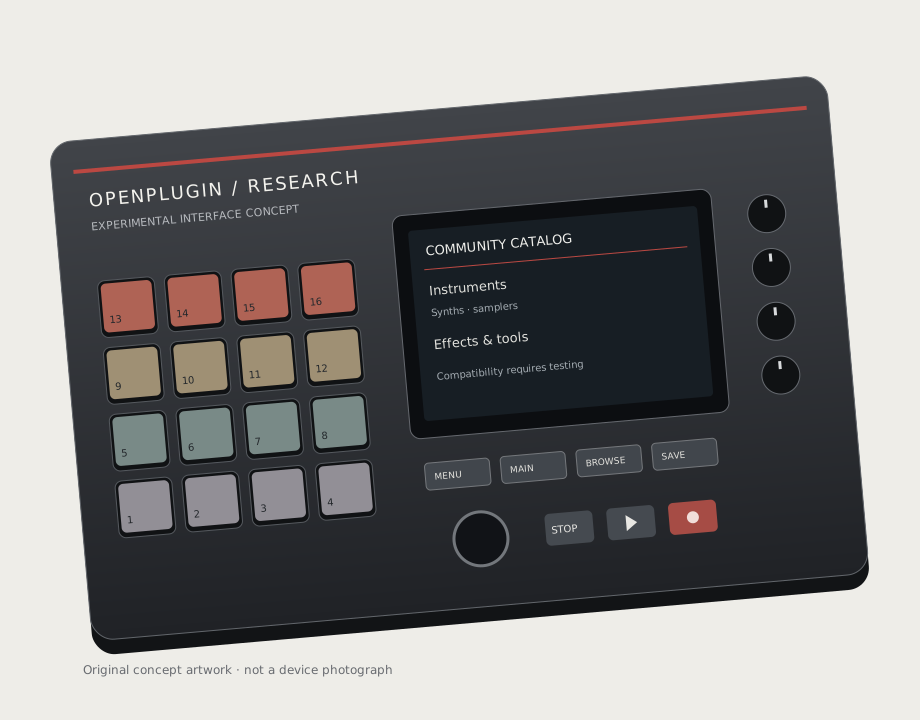
Research firmware. Includes bundled artwork for Clif Tape, TinyFreaky, PulyTek and Magic Tape Echo, plus online loading and caching for missing thumbnails. Plugins install separately. Complete-image boot, audio load and MPC Gen1 still need hardware validation.
Details →START HERE · FOR EXISTING 3.10.0 USERS
Need firmware 3.9.1? Keep using the last 3.9.1 build, OpenPlugin v0.8.1-rc2.
You need your device, a computer for the first download, and a USB drive with at least 1 GB free. Back up your projects and keep the device connected to power. This is an independent research update; successful Force use has been reported, but MPC Gen1 remains hardware unverified.
Click one button below. You do not need a GitHub account, source code or a build tool.
See release for size · Force-3.10.0-openplugin-v0.8.2-update.img
See release for size · MPC-3.10.0-Gen1-openplugin-v0.8.2-update.img
The MPC file is only for devices using Akai’s Gen1 firmware. Never use the Force file on an MPC, or the MPC file on a Force.
Use a FAT32 or exFAT USB drive. Copy the downloaded .img file directly onto the drive, outside any folder. Do not unzip it or use a bootable-USB tool. Safely eject the drive, then plug it into your Force or MPC.
The filename retains firmware 3.10.0 and OpenPlugin v0.8. If the device does not detect it, rename the Force file to Force-3.10.0-update.img or the MPC file to MPC-3.10.0-Gen1-update.img. Keep only the update you intend to install on the USB drive.
Select the update and confirm. If asked to update the same version, 3.10.0, that is expected: confirm to install OpenPlugin. Keep the power on and wait for the device to finish and restart.
The release is OpenPlugin 0.8.2, but the device’s original internal version is retained. Renaming the file does not make it a higher version or bypass compatibility checks. If the updater rejects it, stop.
Load Plugin Manager on a plugin track. Connect your device to the internet, open CATALOG, then tap Refresh catalog to see available plugins and versions. Browse the cards and install from the touchscreen.
For most plugins: INSTALL → CONTINUE → INSTALL & RESTART. Save your project before restarting. For JV-880, use Install ROMs + plugin—one action prepares both and restarts the app.
Next: find, install and remove plugins →Check the filename, file extension and USB placement above. Avoid an accidental .img.img ending. This guide is for the supplied 3.10.0 firmware family; other versions and generations require separate validation.
ON A REAL FORCE
Owner-supplied photos of the Force touchscreen. Browse the catalog, install from a card, then open the plugin. Tap a photo to enlarge it. These photos show individual results, not a guarantee that every plugin or MPC model works.
Plugin cards, categories, installed status and the Refresh catalog action.
The combined installation action on the JV-880 card.
Select Plugin Manager from PLUGINS → VST on a plugin track.
The supplied Force photo shows the JV-880 control interface.
Dexed’s synth controls open on the Force touchscreen.
The Galactic effect interface running on the Force.
Effect selection on a Force track.
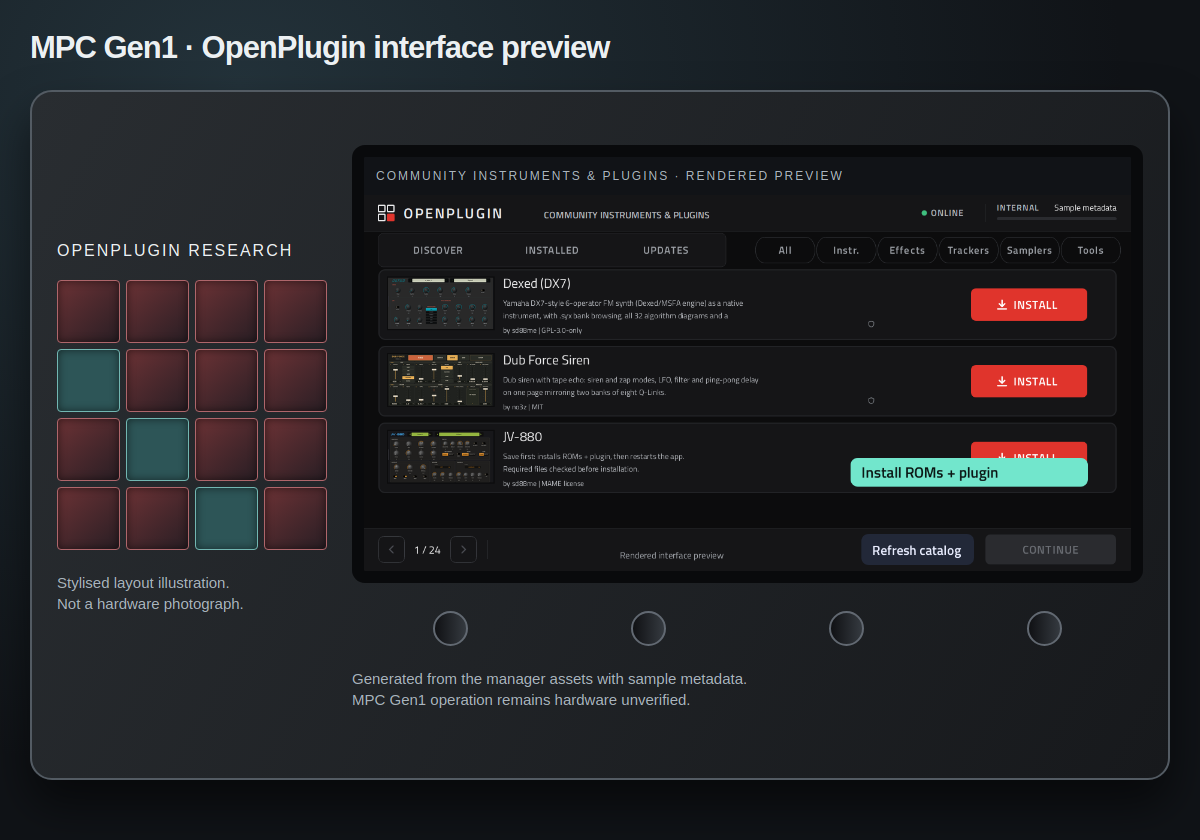
This is a styled render, not a hardware photo. Physical MPC operation still needs testing.
USE THE APP
Current software workflow; see test status before using a firmware candidate.
Internet is needed for the first catalog download. Later, a saved catalog remains available offline. Automatic connectivity-triggered reload is not implemented.
Install only packages you trust; installers run with device privileges.
Some manual installs cannot be removed. Imported source updates and full transactional rollback are not implemented.
https://github.com/owner/repository and select Check source.The scanner does not execute an installer while checking a source. General web pages and direct ZIP URLs are not accepted.
COMMUNITY INDEX
Indexed from MPC VST Plugins and reviewed community metadata. Samplers overlap instruments; categories can be empty.
Loading catalog…
Cards refresh with the scheduled catalog. Website actions open the author’s project or releases; they do not install on your device.
PUBLISH A PLUGIN
Plugin authors can submit a public project URL, or propose a change to the source list. A root openplugin.json describes the plugin; it is different from the package’s mpc-plugin.json. Submissions are reviewed, not added automatically from an issue.
Set title, author, category, tags and image URLs. Source-only projects can be listed.
Manifest example ↗Check the manifest against the community format. Native packages also need the existing portable ARMv7 package contract.
JSON schema ↗ · Package format ↗Submit the project URL using the form (GitHub account required). A maintainer adds it to the source list; the six-hour bridge then updates the JSON and cards. Package downloads need a separate review.
Submit a project ↗Discovery guide for users and authors ↗
The bridge starts with MPC VST Plugins, then checks registered repositories and bounded GitHub searches. Search matches without a valid manifest remain candidates.
App catalog · Discovery report · Source registry
Device FIND accepts owner/repository or its GitHub URL. It checks the latest stable release for -mpc-armv7.zip, a SHA256 digest and mpc-plugin.json. Arbitrary websites and desktop VSTs are not supported inputs.
.zip package · .so native library · .json metadata · .xml registration · .xpl preset · .xpj project · .sh installer · .img firmware · .sha256 checksum · .pub public SSH key.
Desktop .dll, .exe, .dmg and general .vst3 bundles are not native MPC packages.
REMOTE ACCESS · OPENPLUGIN 0.8.2
Verified on the owner’s Force · 10 October 2026: SSH login, SFTP upload and download, matching file contents, and removal of the temporary test file.
Open Plugin Manager → REMOTE ACCESS. SSH starts automatically with the shared password mpc. Read the IP, use password mpc, and connect with username root, port 22. Choose SFTP in your file-transfer app and browse /media for internal, SD and USB sample folders.
Disable SSH saves your choice across reboots. This is full root access: use a trusted network. SSH login and SFTP are verified on one Force. Physical MPC Gen1 operation, disable/re-enable and reboot persistence still need testing.
BUILD & CONTRIBUTE
Supply your original Force and MPC Gen1 firmware. The repository contains our additions and adapter, not Akai’s application source.
git clone https://github.com/MagicStino/force-openplugin.git
cd force-openplugin
bash build.sh /path/Force-3.10.0-update.img \
  /path/MPC-3.10.0-Gen1-update.img /path/output
Linux, Python 3.12+, git, gcc, e2fsprogs, binutils, OpenSSH tools and Chromium libraries are required. The build produces hardware-unverified images, checksums and manifests; it does not flash.
Build details ↗ · SSH / SFTP Remote Access ↗ · Firmware integration ↗
TEST STATUS
OpenPlugin 0.8.2 on firmware 3.10.0 · 29 October 2026. Stock application version remains 3.10.0.49.
| Check | Result |
|---|---|
| Force + MPC image builds | Built; filesystem, injected-file and original container verifier checks passed. |
| Native plugin loading | Passed under ARM emulation with both supplied runtimes. |
| Catalog and bridge | Published index and compatible package metadata checked; 21 automated tests passed. |
| Illustrated screen layout | Generated layout and offline preview cache checked. 0.8.2 retains bundled bitmap thumbnails and larger controls, adds online thumbnail fallback for unbundled entries, and refreshes the catalog with Clif Tape. Online thumbnail appearance and audio-load testing on hardware remain pending. |
| Flash, boot, touch, audio, installation and SSH | Owner reports successful Force boot, touch, plugin use and ROM download. SSH login and SFTP round-trip transfer verified on the owner’s Force (10 October 2026). MPC Gen1, disable/re-enable and reboot persistence remain unverified. |
Installation is not transactional. Package checksums establish bytes, not trust or compatibility. In the current source, saved catalog fallback and refresh on manager load are implemented. There is no continuous polling or reconnection trigger.
Detailed validation ↗ · Retained last 3.9.1 build (predates illustrated native cards)
Choose a device.
It may lack a stable ARMv7 release, checksum or compatible manifest. Desktop plugins and source code alone cannot be installed. Network errors and rate limits can also interfere.
Hakai-associated native plugins need the same compatible package format. Universal compatibility is not established. MPC Sample is a separate kit editor; sample preview and kit import are not implemented.
No analytics, accounts or uploads. Plugin images load from their upstream hosts, which receive the request. GitHub Pages has its own logging policies. Image rights remain with their authors.
No matching answer.
COMMUNITY CREDIT
sd88me provides the MPC VST Plugins collection and upstream catalog JSON used by our server bridge. The repository also supplies the native wrapper, skin and build tooling used here. Plugins, ports, screenshots and artwork remain credited to their individual authors in the catalog and source/license records.
poloq Plugin Manager is the foundation of the native manager and already supports installation from the device. Our additions package it into the firmware, add illustrated cards and clearer search, publish a refreshed catalog bridge, retain a saved catalog offline, and combine JV ROM/plugin setup.
After the initial USB firmware update, you can discover and install compatible plugins directly on the Force/MPC touchscreen instead of transferring each package from a computer. This project is AI-assisted, independent and non-commercial; it does not replace the original authors’ work or licenses.